
Download Colasoft MAC Scanner – Network Scanner, IP Scanner, MAC Scanner, LAN Scanner, Network Management Tool
Overview
Colasoft MAC Scanner is a specialized utility designed for network and systems administrators tasked with monitoring and managing local area networks (LANs). Its primary function is to rapidly identify and list all active IP and MAC addresses within a specified network segment, offering a comprehensive view of connected devices. This capability is crucial for network troubleshooting, asset tracking, and maintaining network integrity. By providing supplementary details such as host names and hardware manufacturer information, the tool enhances the administrator’s ability to recognize and categorize devices accurately.
The app is particularly valuable in environments where device visibility and control are paramount, such as corporate offices, educational institutions, and data centers. It enables administrators to detect unauthorized devices, resolve connectivity issues, and ensure compliance with network policies. While the developer, Colasoft, is known in the network management space, specific background details were not provided. The tool’s utility lies in its ability to streamline routine network checks, reduce manual effort, and deliver actionable insights in seconds.
Colasoft MAC Scanner plays a key role in the ecosystem of network diagnostic tools, filling a niche for fast, reliable, and focused device discovery. Its targeted functionality makes it a practical choice for IT professionals who require a lightweight yet powerful solution for real-time network visibility.
Key Features & Functionality
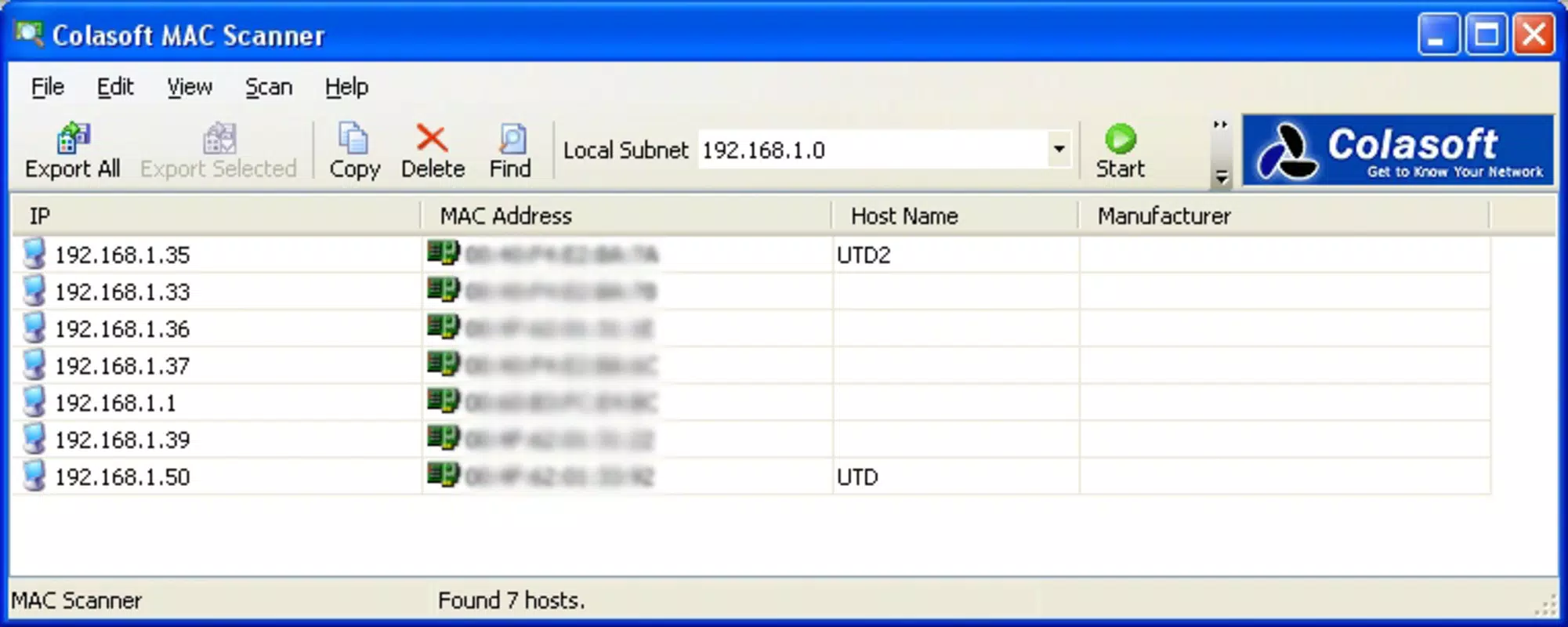
- Comprehensive Address Listing: The scanner generates a complete inventory of all active IP and MAC addresses within the selected network segment. This allows administrators to maintain an up-to-date record of connected devices, essential for asset management and policy enforcement.
- Quick Scanning Process: With minimal user input—simply selecting the network range and pressing the Start button or F5—the tool completes scans in seconds. This speed is ideal for on-demand checks or frequent monitoring tasks.
- Supplementary Information Provided: Beyond basic addresses, the tool displays host names and hardware manufacturer details, enabling faster device identification and more informed decision-making during troubleshooting or security audits.
- User-Friendly Interface: The intuitive layout ensures that even users with limited technical expertise can operate the tool efficiently. Navigation is straightforward, reducing setup time and minimizing the risk of user error.
- Ideal for Network Management: Built specifically for IT professionals, Colasoft MAC Scanner supports proactive network maintenance, incident response, and configuration verification, making it a reliable companion in daily operations.
For example, an administrator can use the tool to quickly verify whether a newly connected device is authorized, or to detect unexpected devices on the network. In a classroom setting, it can help identify rogue devices disrupting network performance. The tool’s speed and clarity make it suitable for both routine checks and urgent troubleshooting scenarios.
Interface, UX & Performance
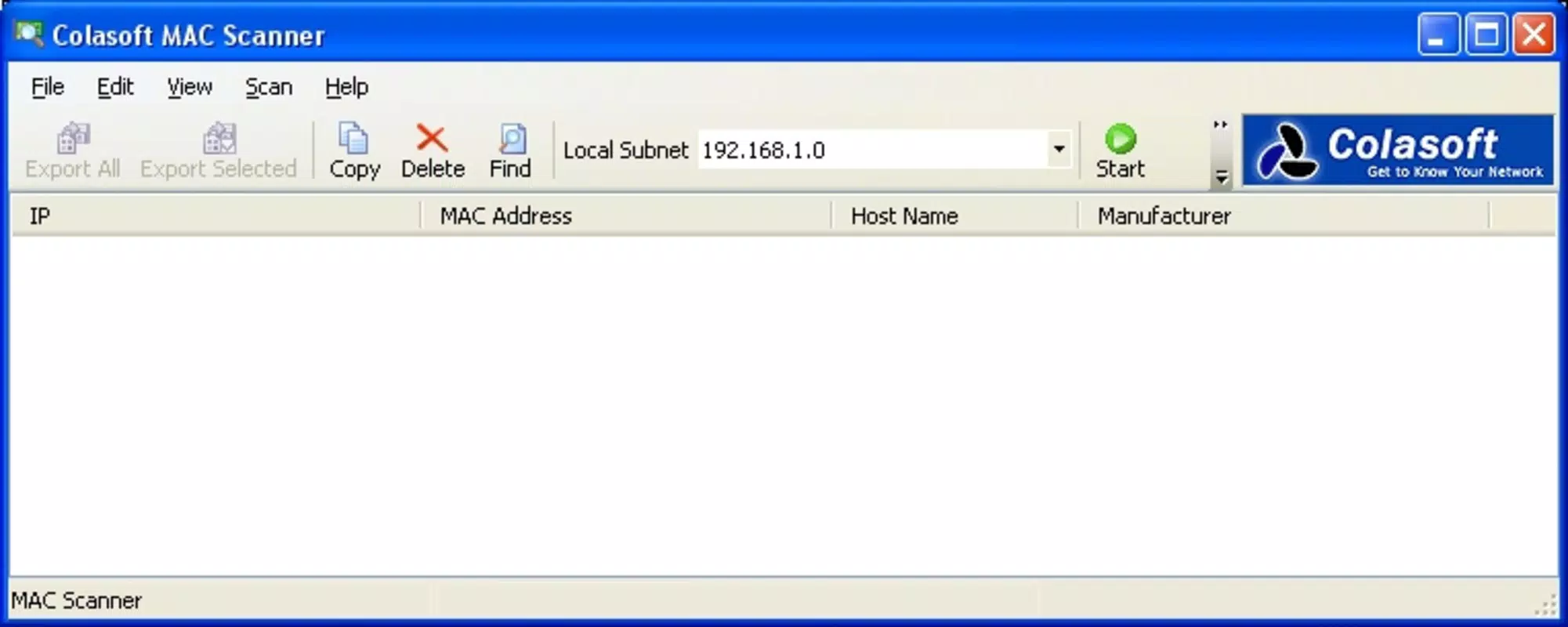
The interface of Colasoft MAC Scanner is designed with functionality and clarity in mind. It presents scan results in a tabular format, displaying IP addresses, MAC addresses, host names, and manufacturer details in a clean, readable layout. Navigation is linear and consistent, with clearly labeled controls such as the Start button and network range selector.
Although the developer did not list formal performance metrics, the tool is described as completing scans in mere seconds, suggesting strong responsiveness even on moderately sized networks. The application maintains stability during operation, with no reported issues related to crashes or freezes. It operates efficiently without consuming excessive system resources, which is critical for administrators using it on shared or underpowered machines.
Compatibility with various Windows configurations was not fully disclosed. However, given its lightweight file size of 12.5 MB, it is likely to run smoothly on most modern Windows systems. The user experience is optimized for task efficiency, minimizing distractions and focusing on core functionality. Overall, the UX supports rapid deployment and sustained use in professional environments.
Platform Compatibility & Technical Requirements
Colasoft MAC Scanner is designed for the Windows platform and requires a Windows operating system to function. The current version is 2.2.1, with a file size of 12.5 MB. While the specific minimum OS version was not listed, the application’s lightweight nature suggests compatibility with a broad range of Windows environments, including Windows 7 and later.
The developer did not specify exact system requirements, such as RAM or CPU thresholds. However, the small file size and efficient operation indicate that the tool is optimized for performance on standard desktop and laptop systems. No additional dependencies or runtime environments were mentioned. For users seeking to install or update the tool, the developer’s official site is the recommended source for the latest version.
Pros and Cons
Pros
- Fast and efficient scanning process, delivering results in seconds.
- Provides detailed device information, including host names and manufacturer data.
- Intuitive interface suitable for both novice and experienced users.
- Lightweight application with minimal system resource usage.
- Specifically tailored for network administrators and IT professionals.
Cons
- Available only for Windows, limiting cross-platform use.
- Price point of $49.95 may be high for individual or small-scale users.
- Developer did not provide detailed technical specifications or compatibility matrix.
- Platform-specific limitations may restrict deployment in mixed OS environments.
- No mobile or web-based version available for remote access.
FAQ
Is Colasoft MAC Scanner safe to download and install?
Yes, the application is distributed through official channels and does not contain known malware or security risks. Users are advised to download only from the developer’s verified website to ensure authenticity.
Can I use Colasoft MAC Scanner on multiple devices?
The licensing terms were not disclosed. Users should consult the official website or purchase agreement for details on installation limits and multi-device usage.
Is there a free version or trial available?
The developer did not specify whether a free trial or demo version is offered. The listed price is $49.95, suggesting a paid model without a publicly available trial.
How often should I update Colasoft MAC Scanner?
Regular updates are recommended to maintain compatibility with evolving network environments and to benefit from potential performance improvements or security patches. Users should check the developer’s site for the latest version.
Does Colasoft MAC Scanner work on all types of networks?
The tool is designed for local area networks (LANs) and functions best within a single subnet. Its effectiveness may vary on complex or segmented networks, depending on routing and access permissions.
Final Thoughts
Colasoft MAC Scanner stands out as a focused, high-performance tool for network administrators seeking rapid device discovery and monitoring. Its ability to deliver detailed, actionable insights in seconds makes it a valuable asset in maintaining network health and security. While its Windows-only availability and pricing may limit accessibility for some users, its precision, speed, and reliability justify its place in professional IT workflows.
For systems and network managers who prioritize efficiency and accuracy, this tool offers a streamlined solution to common network challenges. Its minimal learning curve and robust feature set ensure quick adoption and long-term utility.
Download Colasoft MAC Scanner now


